Have you always wondered how to search the Clark College Library Catalog? Here are some tips and tricks!
Where do I start?
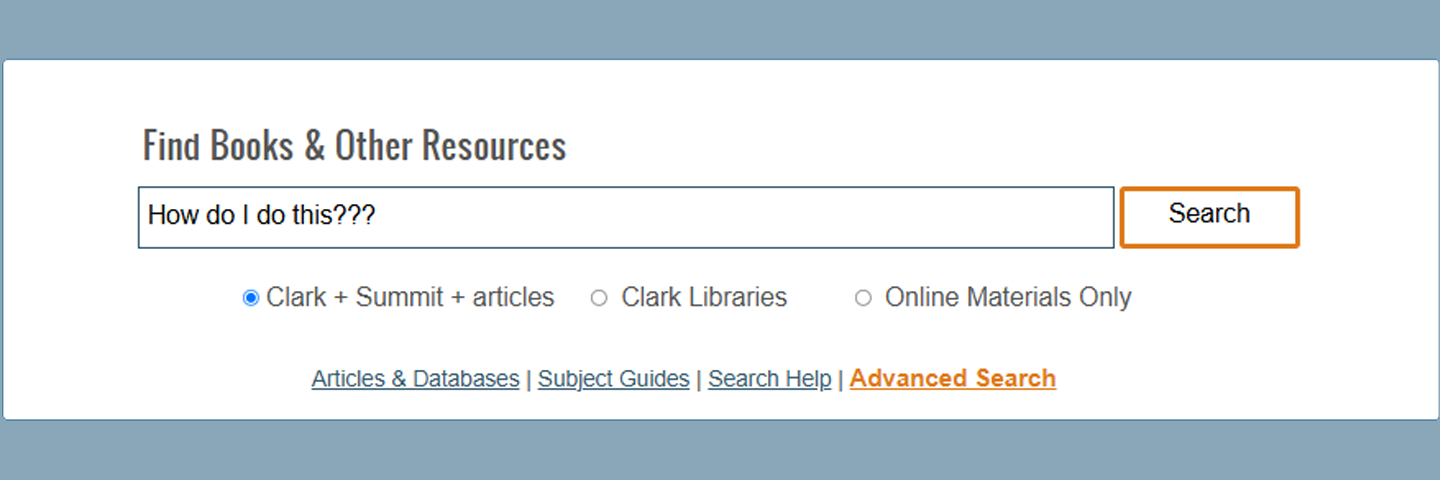
Find your way to the main search bar for the library catalog. It is nearly unmissable, as it is on every page of the library website and says "Find Books & Other Resources". If you cannot find it, on this page, scroll up.
Filter your search by what you want to hone in on:
- If you only want Clark College Library items, things we own and you could pick up today, select the "Clark Libraries" option.
- "Online materials" will only be items that are available digitally through our library; they may include open access resources, journal articles, reviews, ebooks, and videos.
- "Clark + Summit + articles" is going to be everything our library offers, most online resources, and all lendable items from our partner colleges and universities in the PNW (Summit). This last search will yield the widest variety of results.
Type in a title or keywords for your topic and hit search!
What do I do with the results?
You now may be confronted with hundreds or thousands of results. How will you know what the best resources for you are?
First, log into your library account if you have not already. There should be a yellow banner above your results that says "Sign in to get complete results and to request items." You will use your Clark Labs login.
Next, go to the left side of the site and take a look at "Refine my results;" this is where you can narrow down your results to fit closer to what you want. If you want music scores, for example, you can in the resource type section, you can expand the select and select scores. If you are absolutely not looking for print books, you can select the little blue check mark with a slash through it to exclude those resources.
Finally, once you have found what you wanted, you can click on the item and see how to access or request it. Use the pushpin icon to save an item to your account. See our Summit or ILL pages for information on resources you need to request from outside of our institution.
For any help accessing items through the library, you can reach out to the librarians or access the 24/7 library chat.